Two Dots: Brain Puzzle Games
PlayDotsBoard
4.387.74K Reviews
- Version
- 26.35.00
- Installs
- 50.00M
- Age Rating
- Everyone
Screenshots
Our Review of Two Dots: Brain Puzzle Games
 Analysis by Appyee
I like puzzle games that are easy to pick up while someone else is using the TV or while I’m waiting for a kettle to boil, and Two Dots: Connect the Dots fits that small-gap routine well. Its board is quick to read, but a level can still ask me to pause and plan rather than swipe without thinking. That balance is what makes it more than a throwaway time-filler in my experience.
A game that works in short shared moments
In a household, this is the kind of game one person can play for a few minutes while others chat nearby. The basic rules are visible on the board, so a family member can watch and suggest a move without needing a long explanation. I find that useful when someone wants to join the conversation but not take over the whole activity: they can point out a possible connection, and the person holding the phone decides whether to try it.
That casual spectator role is also a good way to make a level feel collaborative without pretending the game is a dedicated multiplayer experience. You can talk through a move, notice a loop together, or hand the device over between turns. The trade-off is that progress belongs to whoever is playing on that device or account, so I would not treat a shared session as a shared save or assume everyone has a separate profile.
Keep expectations clear on a shared device
If several people use one phone or tablet, I’d agree on a simple boundary before starting: who is playing, and whether they are comfortable with someone else making moves. A puzzle can be interrupted, but a move may change the board in a way the next person would not have chosen. Letting the current player finish the level before handing over is an easy way to avoid that small frustration.
It is also worth keeping purchase decisions separate from casual play. The game is free to download, while optional in-app purchases are listed from $0.99 to $119.99 per item. I would make sure children know that tapping a purchase prompt is not part of solving the puzzle, and that any spending decision belongs to the device owner or an adult. The exact amount matters less than establishing the rule before a tempting booster appears.
Age, trust, and the kind of play it encourages
The content rating is Everyone, and the core activity is matching colors and planning moves rather than competing through realistic violence or complex social interaction. That makes the game approachable for a broad age range, though younger players may still need help understanding goals, obstacles, and purchase prompts. An age label is a useful starting point, not a substitute for an adult checking whether the pace and spending choices suit a particular child.
I would also describe it as a calm-looking game, not a guarantee that every session will feel calm. A limited move count or a stubborn board can make someone want to retry, and optional boosts can make spending seem like a shortcut. For household use, I prefer treating it as a brief puzzle break rather than a way to occupy a child indefinitely. The best fit is someone who enjoys trying again and can stop when the session is over.
PlayDots developed this board puzzle, which has a 4.3 average from around 1.2 million ratings and over 50 million installs. It is free, rated Everyone, and its current version is 26.06.00. Those figures suggest it has reached a large audience, but what matters more in everyday use is that its simple premise makes it easy to explain and its later challenges can still reward careful thinking.
What Makes the Puzzles Work
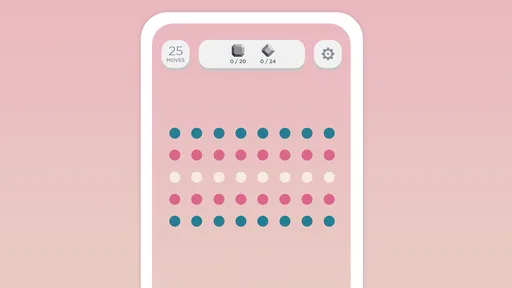
First things first, Two Dots is a minimalist puzzle game where your goal is to connect dots of the same color in a variety of interesting ways. The game starts pretty easy, but don’t let that fool you. As you progress, the levels get more challenging, introducing new mechanics and obstacles that keep things fresh.
The game’s aesthetic is super appealing. It’s got a simplistic and colorful design that’s easy on the eyes. The soothing background music adds a nice touch, making it a perfect game to play when you just want to chill and unwind.
Gameplay Mechanics
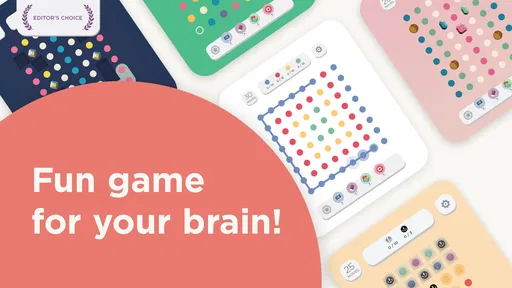
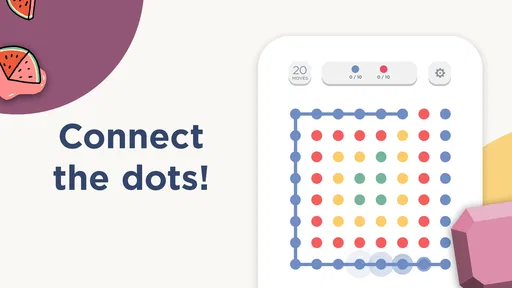
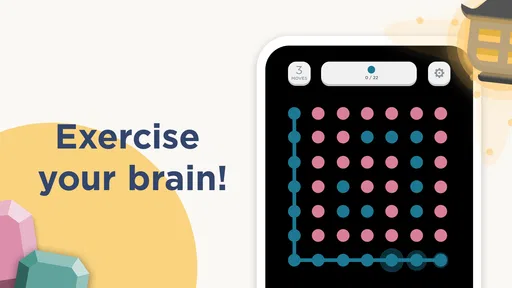
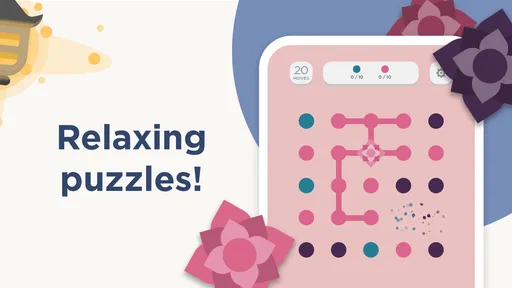
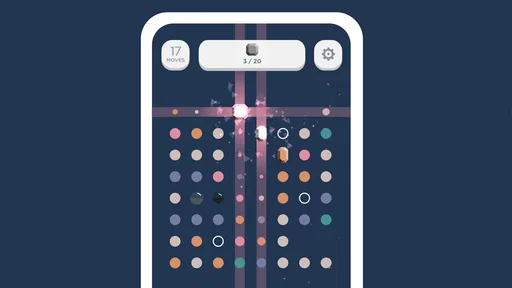
So, how does it work? You’re given a grid filled with colorful dots, and your job is to draw lines between dots of the same color. Sounds simple, right? Well, the catch is that you can only connect dots that are adjacent to each other, either horizontally or vertically. Plus, if you manage to create a loop, all dots of that color on the board will disappear. It’s a neat little trick that you’ll be aiming to pull off for those satisfying combos.
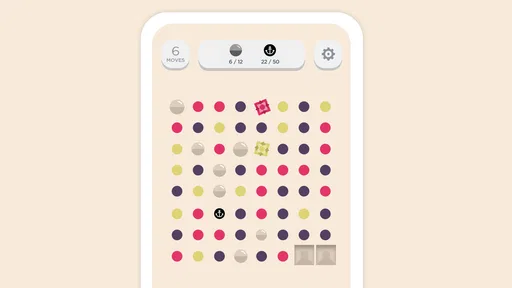
As you advance, new elements are introduced. You’ll start encountering anchors that need to be dropped to the bottom of the grid, fire dots that you need to extinguish, and even blocks of ice that require you to break them by connecting dots around them. It keeps the game interesting and ensures that you’re constantly thinking about your next move.
Level Design and Progression
The level design in Two Dots is top-notch. With over 3,000 levels, you’re not going to run out of puzzles anytime soon. Each level feels unique and offers a fresh challenge. The difficulty curve is pretty smooth, so you’ll find yourself getting better at the game without hitting any frustrating walls.
One of the things I love about Two Dots is how it introduces new concepts gradually, giving you time to master each one before throwing something new into the mix. It’s a smart design choice that keeps players engaged without overwhelming them.
In-Game Purchases and Ads
Now, let’s talk about the elephant in the room—in-app purchases and ads. Two Dots is free to play, which is awesome, but it does have some optional in-game purchases. You can buy power-ups or extra lives if you’re stuck on a tricky level. The good news is that the game is generous with lives, and you can earn power-ups through regular gameplay, so you’re not forced to spend money unless you really want to.
As for ads, they’re there but not intrusive. You might see an ad when you want to earn a free booster or extra lives, but they’re not popping up every few seconds, which is a relief.
Choosing it over other puzzle styles
Compared with a word game, Two Dots asks for visual pattern recognition instead of vocabulary, so it suits a waiting room or a quiet break when I don’t want to read. Compared with a match-three game built around swapping pieces, its adjacent-dot tracing and loop-clearing rule give me a different kind of planning problem: I look for a route through the board, not just a promising pair of tiles. If I want a puzzle with a clear board objective and a little tactical foresight, this is a better fit; if I want a story-heavy game, head-to-head competition, or a puzzle that exercises language, I’d choose something else.
One practical habit helps when a board feels awkward: I scan for the level’s required targets before chasing the longest-looking chain. Clearing lots of dots can be satisfying, but moves are valuable, and a route that advances the objective can be better than one that only makes the board look cleaner. I also check whether a loop is possible before committing to several small matches, since removing every dot of one color can reshape the board and open a more useful sequence. That little pause is often more valuable than rushing through easy-looking moves.
Small decisions that make a session smoother
For a short break, I would start a level only when I have enough attention to finish or at least make a deliberate stopping point. The game’s approachable appearance can make it tempting to tap through several boards while multitasking, but the obstacles reward noticing how one move affects the next. If I’m interrupted, I prefer to stop between levels rather than hand over mid-board; it avoids the feeling that someone else has altered a puzzle I was planning.
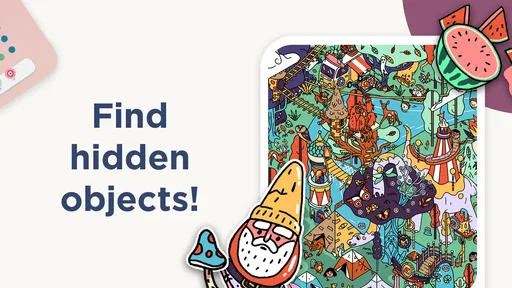
Scavenger Hunt mode is part of the game’s current offering, and it gives curious players another reason to explore beyond the standard level sequence. I’d treat it as a change of pace rather than a promise that every player will prefer it. If the main attraction for you is a simple, repeatable board puzzle, the regular progression is the natural place to start; if you already enjoy the core matching, trying a mode with a different framing can help keep the routine from feeling too samey.
Who will enjoy it—and who may not
I’d recommend it to people who like a clean visual puzzle, want a game they can explain quickly, and are happy to improve through trial and error. It can suit a solo commute or a shared living-room moment, especially when the player is comfortable with a gentle pace and occasional tougher boards. The install is free, and the game is rated Everyone, which makes it easy to consider for a mixed-age household, provided an adult sets sensible expectations around optional purchases.
I’d skip it if you dislike retries, prefer every game session to end at a predictable point, or find in-app purchase prompts distracting. It is also not my first choice when I want genuine co-op play: talking through a move with someone nearby can be fun, but that is different from a built-in shared challenge. Someone seeking a competitive score chase or a deep narrative will probably get more from another kind of game.
Final Thoughts
To sum it up, Two Dots: Connect the Dots is a charming and addictive puzzle game that hits all the right notes. Its beautiful design, clever level progression, and engaging mechanics make it a joy to play. Whether you’re a casual gamer looking for something to pass the time or a puzzle enthusiast searching for a new challenge, Two Dots is definitely worth a download.
So, go ahead and give it a try. Who knows, you might find yourself connecting dots and solving puzzles for hours on end. Happy gaming!
Verdict
Strengths of Two Dots: Brain Puzzle Games
- Engaging puzzles with increasing difficulty.
- Visually appealing design and graphics.
- Frequent updates with new levels.
- No intrusive ads during gameplay.
- Offline mode available for play anywhere.
Limitations of Two Dots: Brain Puzzle Games
- Limited lives can halt progress.
- In-app purchases can be costly.
- Occasional connectivity issues.
- Some levels feel repetitive.
- Hints require real money or time.
Similar Picks in This Category
View All
Ludo King®
Gametion4.1

Ludo
Yarsa Games4.6

Tile Master® - Matching Game
Higgs Studio3.6

Checkers Online
CC Games4.6

Dominoes
Loop Games4.7

Chess
Chess Prince4.6
Frequently Asked Questions
What is the main objective of Two Dots: Connect the Dots?
The primary goal of Two Dots is to connect dots of the same color to achieve various objectives within a limited number of moves. Players advance through levels with increasing difficulty, each offering unique challenges and requiring strategic thinking to complete the tasks efficiently.
Is Two Dots a free-to-play game, or does it require in-app purchases?
Two Dots is free to download and play, but it includes optional in-app purchases. These purchases can enhance gameplay by providing extra lives, power-ups, or other bonuses. While the game is enjoyable without spending money, some players may choose to make purchases for a smoother experience.
Does Two Dots require an internet connection to play?
Two Dots can be played offline, which makes it convenient for users without constant internet access. However, some features, such as syncing progress across devices and accessing social features, require an internet connection. Playing online also allows users to participate in special events and updates.
How does Two Dots handle user data and privacy?
Two Dots adheres to standard privacy practices and collects minimal user data necessary for gameplay. It may use data for personalized content, but users should review the app's privacy policy for detailed information on data handling. The game complies with legal standards to protect user privacy.
Can I sync my progress in Two Dots across multiple devices?
Yes, Two Dots allows players to sync their progress across multiple devices. To do this, users need to connect the game to a Facebook account or sign in through email. This feature ensures that players can switch devices without losing their progress, providing a seamless gaming experience.
Play our best games!


